Internationalization (i18n)
The code, templates and javascript user visible strings must all be
wrapped with gettext functions to be substituted at runtime with
the equivalent localized string. These function names are used as
markers to collect the strings to be translated and store them into
the securedrop/translations/messages.pot file. For each language
to be translated, a directory is created such as
securedrop/translations/fr_FR and populated with files derived
from securedrop/translations/messages.pot, for translators to work
with and for the gettext substitution at runtime.
The desktop icon are in the
install_files/ansible-base/roles/tails-config/templates directory.
Their labels are collected in the desktop.pot file and translated
in the corresponding .po files in the same directory (fr.po,
de.po etc.)
The manage.py translate helper
The pybabel and gettext command line is wrapped into the
manage.py translate-messages and manage.py translate-desktop
helpers for convenience. It is designed to be used by developers, to
run tests with fixtures and for packaging.
Creating new translations
For the applications, a user with weblate admin rights must visit the Weblate translation creation page and add the desired languages.
For the desktop, the translations must be suspended in Weblate to avoid conflicts.
- Go to the Weblate commit page for SecureDrop
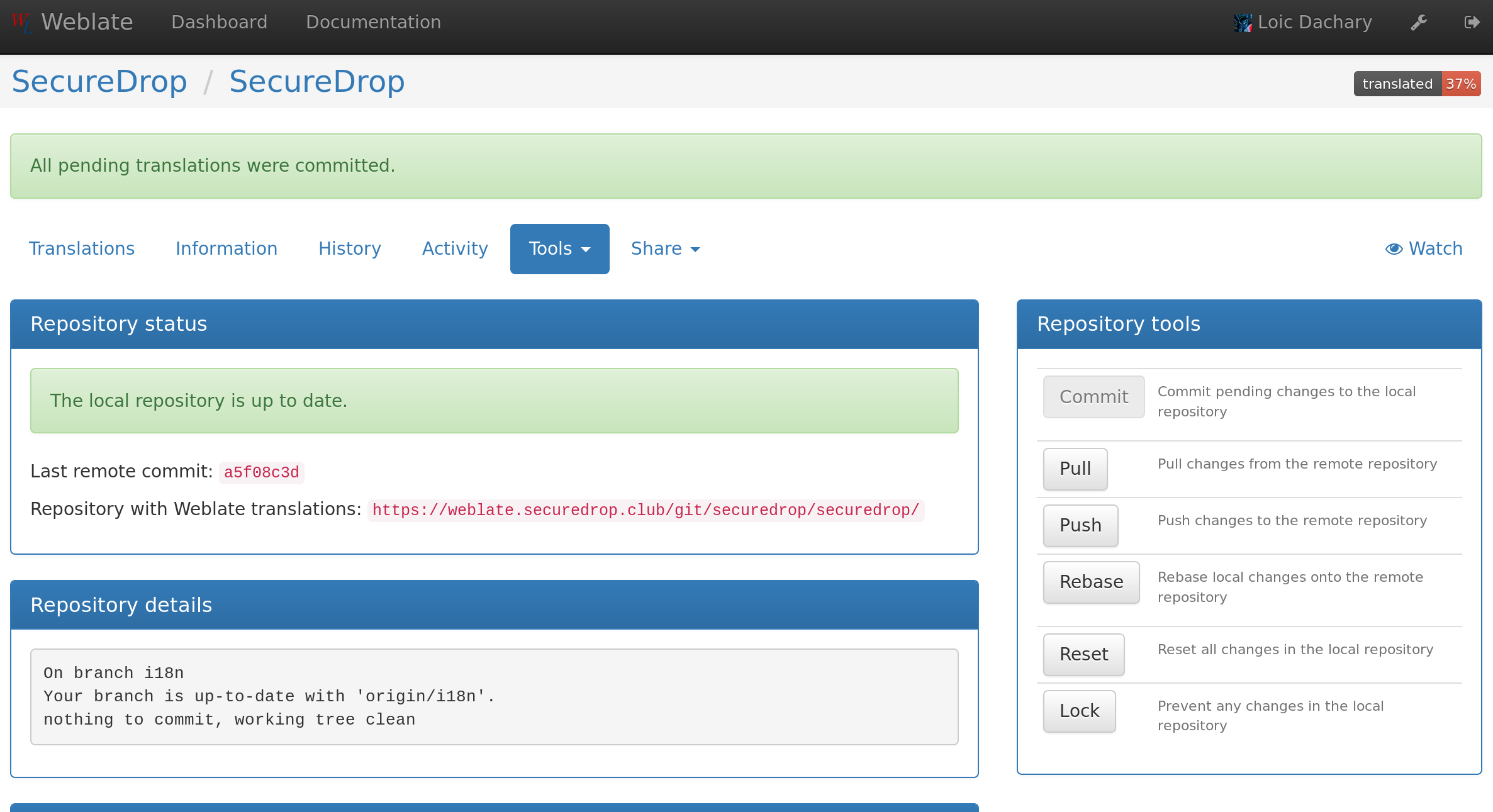
- Click
Lock
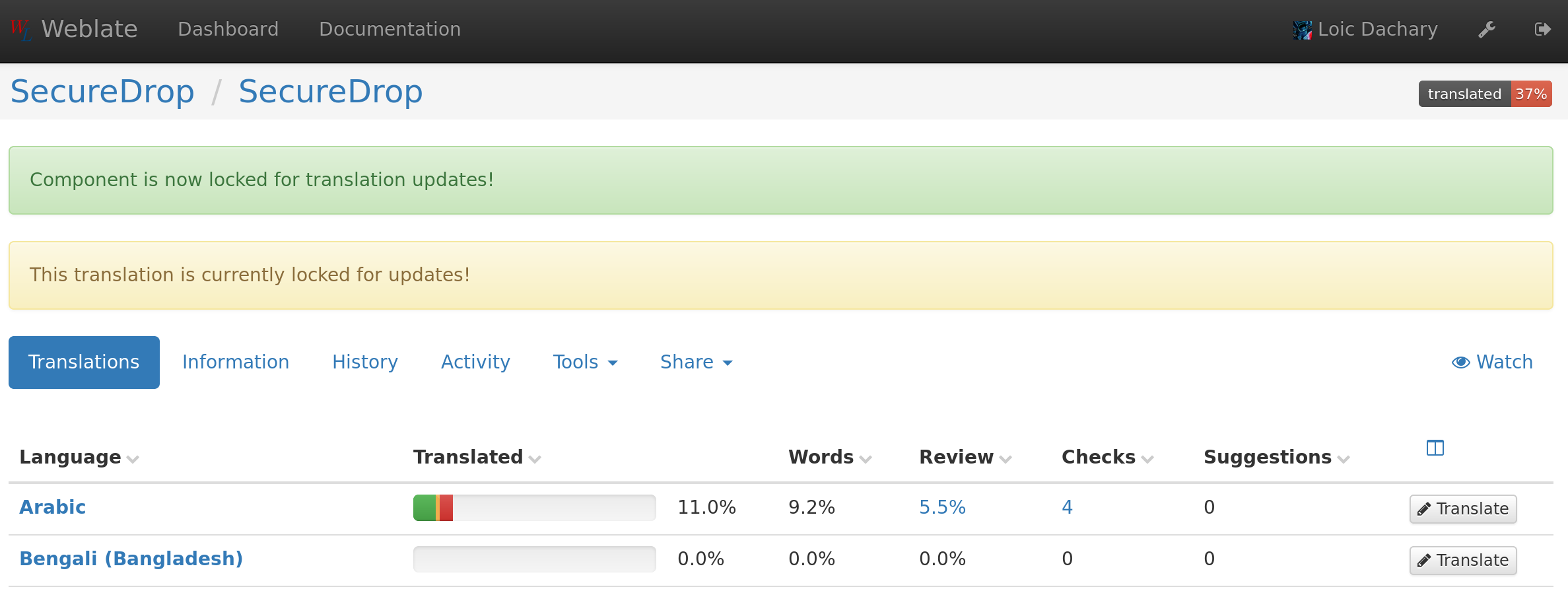
Now new files must be created and pushed to weblate with:
$ git clone -b i18n http://lab.securedrop.club/bot/securedrop
$ cd securedrop/install_files/ansible-base/roles/tails-config/templates
$ msginit --no-translator --locale ar --output ar.po --input desktop.pot
$ git add ar.po
$ git commit -m 'i18n: add ar.po' ar.po
$ git push
Where ar is the name of the locale, exactly matching the name of
the corresponding application translation.
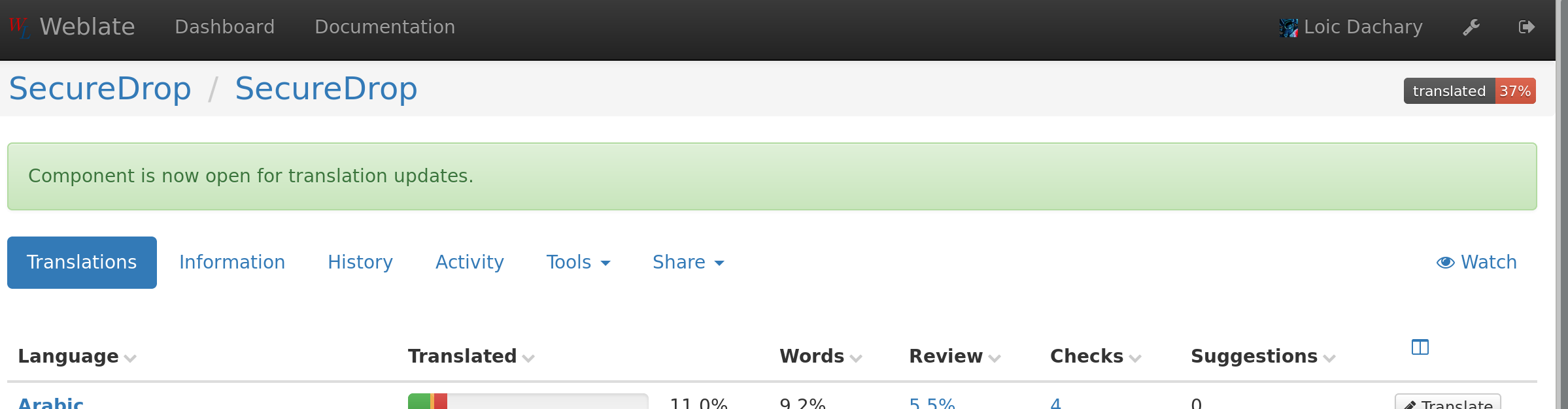
After pushing the new translation, make sure to unlock the translations.
The list of supported languages in the SecureDrop installation documentation must be updated.
Updating strings to be translated
After modifying a string in the code, templates, javascript or desktop
labels, the securedrop/translations/messages.pot files must be
updated by running the following command in /vagrant/securedrop,
in the development virtual machine:
make translate
which wraps manage.py translate-messages and manage.py
translate-desktop. The updated
securedrop/translations/messages.pot and
install_files/ansible-base/roles/tails-config/templates/desktop.pot
should then be reviewed and commited. Once merged in develop, the
changes will be visible in the Weblate web interface used by
translators because it watches the develop branch of the SecureDrop
repository.
Compiling translations
gettext needs a compiled file for each language (the *.mo
files). This can be done by running the following command
in /vagrant/securedrop, in the development virtual machine:
./manage.py --verbose translate-messages --compile
For desktop files the compilation phases creates a modified version of
the original file which includes all the translations collected from
the .po files.
This can be done by running the following command in
/vagrant/securedrop, in the development virtual machine:
./manage.py --verbose translate-desktop --compile
Verifying translations
After a translation is compiled, the web page in which it shows can be
verified visually by navigating to the corresponding state from
http://localhost:8080 for the source interface or
http://localhost:8081 for the journalist interface after running
the following:
./manage.py run
An easier way is to generate screenshots for each desired language with:
$ export PAGE_LAYOUT_LOCALES=en_US,fr_FR
$ pytest -v --page-layout tests/pages-layout
...
...TestJournalistLayout::test_col_no_documents[en_US] PASSED
...TestJournalistLayout::test_col_no_documents[fr_FR] PASSED
...
Note
if unset, PAGE_LAYOUT_LOCALES defaults to en_US
The screenshots for fr_FR are available in
securedrop/tests/pages-layout/screenshots/fr_FR and the name of
the file can be found in the function that created it in
securedrop/tests/pages-layout/test_journalist.py or
securedrop/tests/pages-layout/test_source.py.
Merging translations back to develop
Weblate automatically pushes the translations done via the web
interface as a series of commit to the i18n branch in the Weblate
SecureDrop branch which is a fork of the develop branch of the
SecureDrop git repository. These translations need to be submitted
to the develop branch via pull requests for merge on a regular basis.
$ git clone https://github.com/freedomofpress/securedrop
$ cd securedrop
$ git remote add lab http://lab.securedrop.club/bot/securedrop/tree/i18n
$ git fetch lab
$ git checkout -b wip-i18n origin/develop
$ git checkout lab/i18n -- securedrop/translations \
  install_files/ansible-base/roles/tails-config/templates/{nl,fr,de_DE,nb_NO,pt_BR,es_ES}.po
$ git add translations
$ vagrant ssh development
$ cd /vagrant/securedrop ; ./manage.py --verbose translate-desktop --compile
$ git commit -m 'sync with weblate' translations
$ git push wip-i18n
Verify the translations are not broken:
$ vagrant ssh development
$ cd /vagrant/securedrop
$ PAGE_LAYOUT_LOCALES='de_DE,es_ES,fr_FR,nb_NO,nl,pt_BR' \
    pytest -v --page-layout tests/pages-layout
Go to https://github.com/freedomofpress/securedrop and propose a pull request.
Note
contrary to the applications translations, the desktop
translations are compiled and merged into the
repository. They need to be available in their translated
form when securedrop-admin tailsconfig is run because
the development environment is not available.
Merging develop into the weblate fork
Weblate works on a long standing fork of the SecureDrop git
repository and is exclusively responsible for the content of the
*.pot and *.po files. It needs to merge the content of the
develop branch back into its i18n branch to be able to extract
from the sources new strings to translate or existing strings that
have been updated.
The translations must be suspended in Weblate to avoid conflicts.
- Go to the Weblate commit page for SecureDrop
- Click
Lock
The develop branch can now be merged into i18n as follows:
$ git clone https://github.com/freedomofpress/securedrop
$ cd securedrop
$ git remote add lab http://lab.securedrop.club/bot/securedrop/tree/i18n
$ git fetch lab
$ git checkout -b i18n lab/i18n
$ git merge origin/develop
$ make translate
The manage.py command examines all the source files, looking for
strings that need to be translated (i.e. gettext(‘translate me’) etc.)
and update the files used by Weblate, removing, updating and inserting
strings to keep them in sync withe the sources. Carefully review the
output of git diff. Check messages.pot first for updated strings,
looking for formatting problems. Then review the messages.po of one
existing translation, with a focus on fuzzy translations. There is
no need to review other translations because they are processed in the
same way. When you are satisfied with the result, it can be merged
with:
$ git commit -a -m 'l10n: sync with upstream origin/develop'
$ git push lab i18n
- Go to the Weblate commit page for SecureDrop and verify the
commit hash matches the last commit of the
i18nbranch. This must happen instantly after the branch is pushed because Weblate is notified by GitLab via a webhook. If it is different, ask for help.
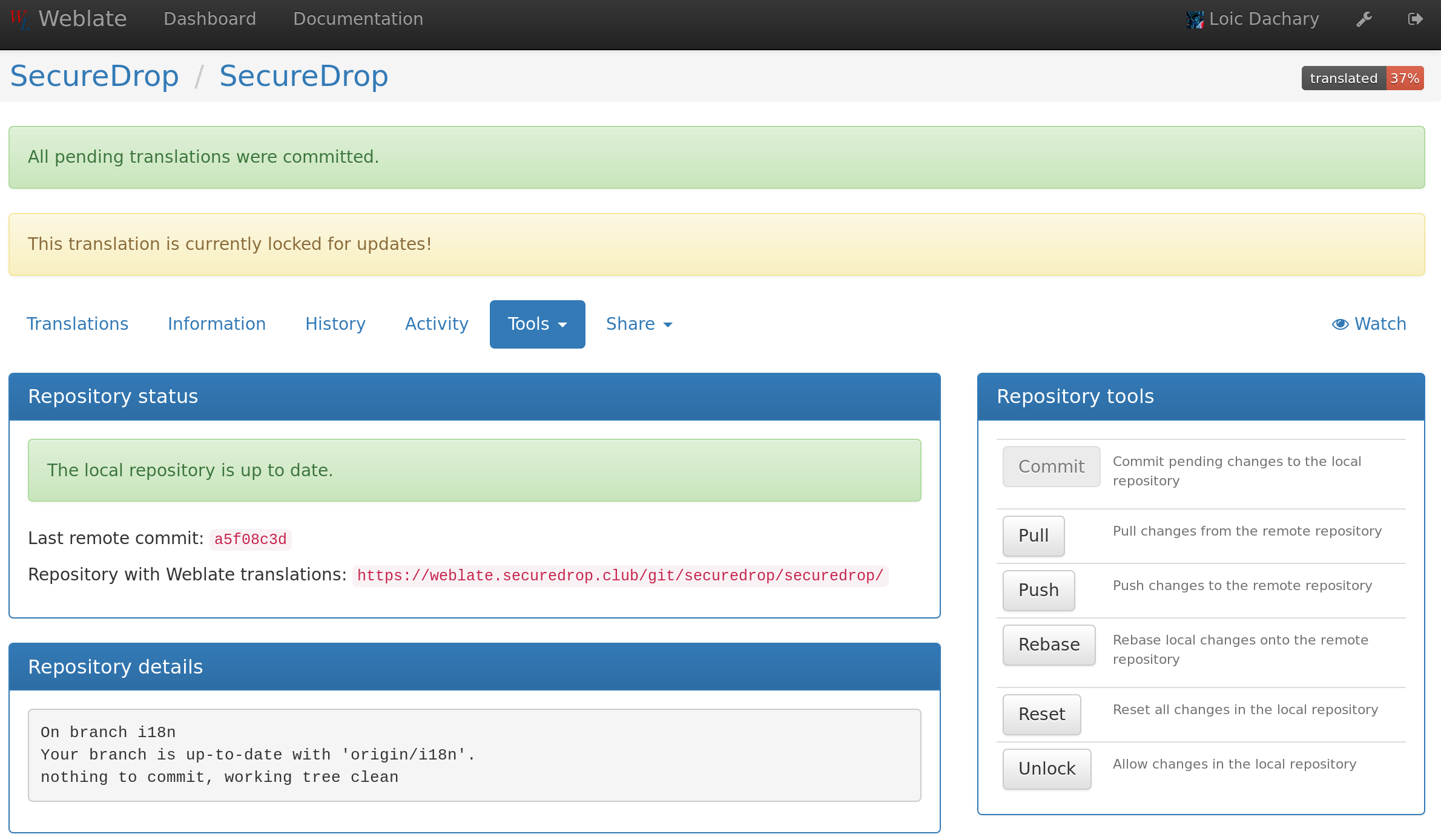
Weblate pushes the translations done via the web interface to the develop branch in a fork of the SecureDrop git repository. These commits must be manually cherry-picked and proposed as pull requests for the SecureDrop git repository.
Updating the full text index
The full text index can occasionally not be up to date. The symptom may be that the search function fails to find a word that you know exists in the source strings. If that happens you can rebuild the index from scratch with:
$ ssh debian@weblate.securedrop.club
$ cd /app/weblate
$ sudo docker-compose run weblate rebuild_index --all --clean
Note that the new index will not be used right away, some workers may still have the old index open. Rebooting the machine is an option, waiting for a few hours is another option.